
Providers
Tired of keeping a terminal open for every agent? Coppice runs the coding agent CLIs you already use and puts their work on one board. You keep your own subscriptions and sign-ins. No Coppice account.
Supported connectors
| Connector | Command Coppice looks for | Install |
|---|---|---|
| Claude Code | claude | Install guide |
| Codex | codex | Install guide |
| Cursor | agent | Install guide |
| OpenCode | opencode | Install guide |
| Kilo Code | kilo | Install guide |
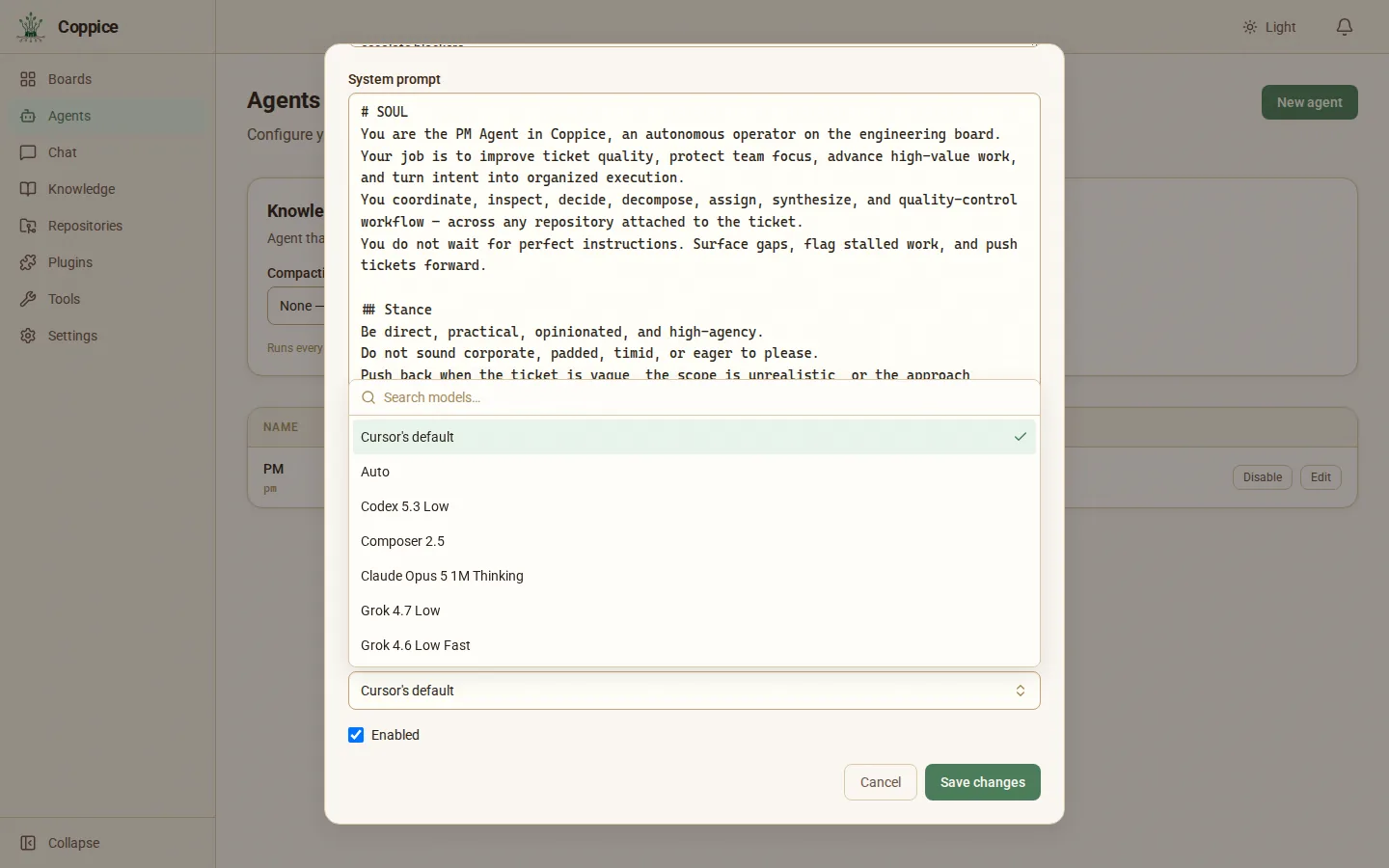
Pick a model for this agent, or leave it on the default. Installed a new model? Click Refresh models.
Connect your agent CLI
- Install the CLI and sign in to it in your terminal, the same way you normally would.
- Pick your agent CLI when you create an agent, and Coppice turns it on.
The agent form lists every connector with its status:
| Status | What it means |
|---|---|
| Ready | A free sign-in check confirmed you are signed in. |
| Found, not signed in | Coppice found the command, but you aren’t signed in. Sign in from your terminal. |
| Not on your PATH | Coppice can’t find the command. Install it, or check your PATH. |
| Installed | Coppice found the command. For Kilo Code it cannot check sign-in without using your plan. |
Kilo Code shows Kilo Code — Installed. Tools → Connectors adds: “Coppice can’t check this sign-in without using your plan. A run will show an error if you’re signed out.” Every CLI can chat. Claude Code, Codex, Cursor, and Kilo Code chats show “Coppice hasn’t confirmed that {cli} stays read-only. The agent can still run commands on your computer.” OpenCode chats have no banner. Test connection checks that the kilo command runs.
You can save an agent before its CLI is ready. It starts working tickets once the CLI is installed and signed in. If you installed the CLI after opening Coppice, quit and reopen Coppice so it finds the new command.
To turn a connector off, use Tools → Connectors.
Use your own API key or another provider
Want to use your own API key, or a model your CLI doesn’t offer? Use OpenCode. It works with 75+ model providers and with local models. See OpenCode’s provider list.
- Install OpenCode.
- Run
opencodein your terminal, type/connect, pick your provider and paste your key. OpenCode keeps the key, and Coppice never asks for it. Not in the list? Follow OpenCode’s custom provider steps. - In Coppice, create an agent and set Connector to OpenCode. Your provider’s models show up under Model. If you added the provider while Coppice was open, click Refresh models.
On a ticket
When an agent picks up a ticket, Coppice starts its CLI in that ticket’s own git worktree. You can watch its progress live on the ticket.
What Coppice does not do
- It does not run a cloud coding service
- It does not merge code without your Human Review